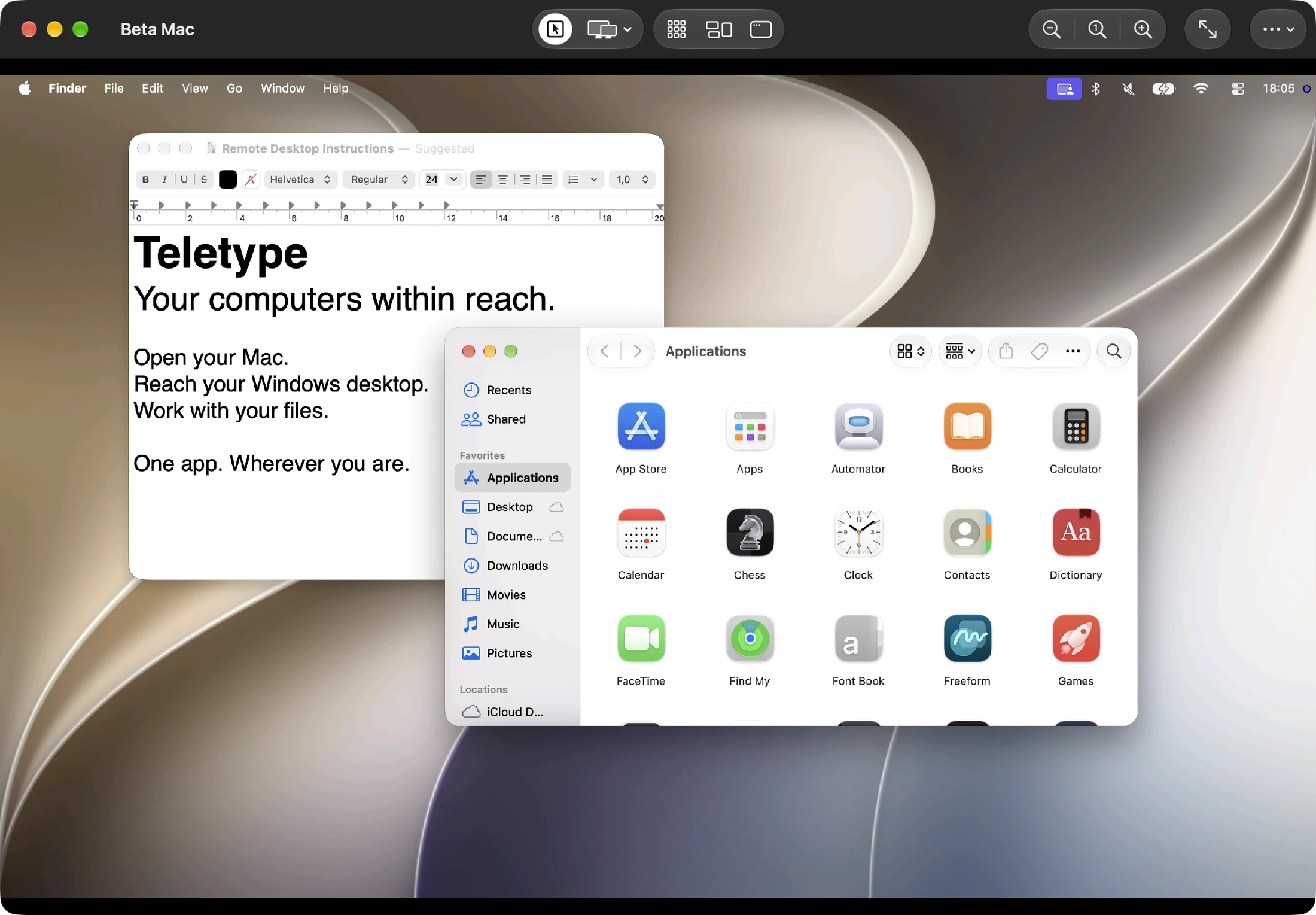
Apple Screen Sharing & ARD.
Connect to compatible Macs using Apple Screen Sharing and ARD authentication through Teletype’s VNC support. This is remote screen access—not Apple Remote Desktop’s software deployment, reporting, or fleet-management tools.
- Reach compatible Apple Screen Sharing and VNC servers.
- Use touch gestures or a physical keyboard and pointer.
- Choose a remote display when the server exposes multiple displays.
Your Mac, with sound.
Turn on High Performance for compatible Apple silicon Macs to stream the desktop with hardware-decoded video and remote audio. Hear a presentation or an app’s sound while you work from your iPhone, iPad or Mac.
Use the existing Mac desktop, or request one or two virtual displays. Dynamic resolution adjusts a virtual display to your window; local zoom changes how large the desktop looks on your device.
Copy, paste. Drag, drop.
Share text, formatted text and images with a compatible Mac. Choose whether to review incoming clipboard content or sync automatically. Send to Remote Clipboard makes the content available for pasting in the remote app.
Drop a file onto a supported remote folder or desktop to upload it, or use Transfer Files to send and retrieve files. Mac file transfer requires the remote server’s Apple file-transfer support; it is separate from SFTP.
The shortcuts your hands remember.
Move by words with Option–Arrow, select with Shift–Option–Arrow, and use Command shortcuts with a physical keyboard. Remote cursor shapes help you see where you can type or resize. On Mac, toolbar actions put Apps, Mission Control and Desktop within reach when supported.
Choose a display, pinch to zoom on iPhone and iPad, or switch to view-only mode. Picture in Picture with Teletype Pro keeps a session visible while you use another app.
High Performance requirements.
High Performance needs a compatible remote Mac, a client that supports the negotiated hardware video format, and a direct IPv4 network path to Apple’s service on port 5900. UDP ports 5900 and 5901 must be reachable, plus 5902 for a second virtual display. TCP-only SSH tunnels cannot carry this mode. One High Performance session can run per client device at a time.
Connect your first host.
Enable Screen Sharing or a compatible VNC service on the destination. Configure access for your account, add the server in Teletype and connect over a reachable network or VPN.
 teletype